
What is the five-minute challenge? #
Yes — BYOB builds and deploys a working landing page in 5 minutes when each minute has one job: (1) define structure, (2) generate the draft, (3) replace placeholder copy, (4) apply one theme plus one accent, (5) deploy to a live URL with SSL. The sprint has 5 steps and needs only a BYOB project, a finished headline with three feature descriptions, and one offer with an email-capture goal. Five minutes gets the page live, not finished: Unbounce measured a 6.6 percent median conversion rate across 41,000 landing pages, so treat the sprint as the starting line and test upward.
Template builders eat hours once layouts start fighting back. No-code tools hide learning curves behind friendly homepages. Freelancers measure in days. Speed here comes from deciding the structure before touching the builder: blank slate to live URL, one minute per job.
A note on honesty before we start. Five minutes gets you live, not finished. The page that converts best is the page you test and refine for weeks. But "live in five minutes" changes the psychology completely: iteration beats anticipation, and a real URL beats a perfect plan. Unbounce benchmark data from 41,000 landing pages puts the median conversion rate at 6.6 percent across industries (https://unbounce.com/conversion-benchmark-report/). Your sprint goal is simple: get live, then climb above that line with tests.
Minute 1: the initial prompt #
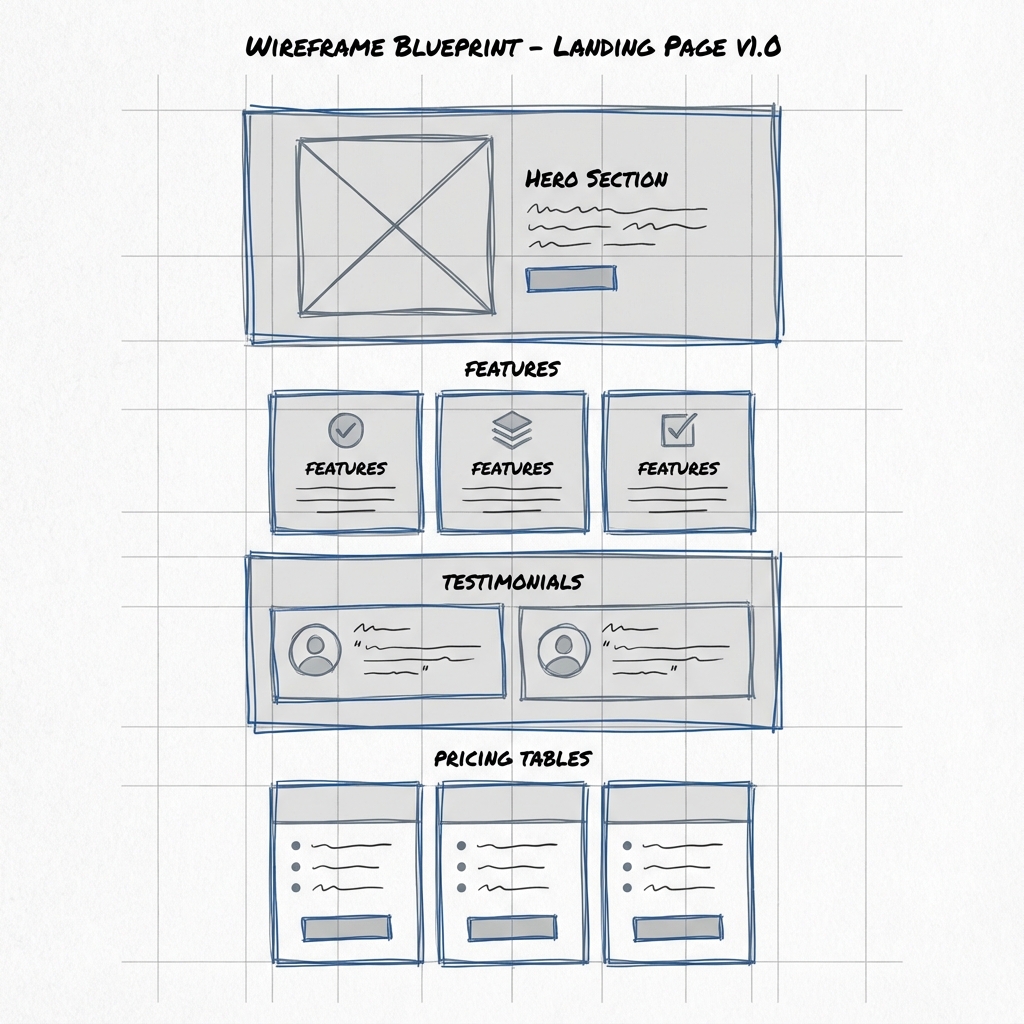
Run minute 1 in 3 moves: frontload the sections in order, fill the bracket skeleton before opening BYOB, and send one structural prompt. The page needs a hero with headline, subheadline, and email capture, three feature cards, three testimonials, two-tier Free and Pro pricing, and a footer with Privacy and Terms links. You need only a BYOB project and the brackets answered: page type, product, audience, sections, constraints, and tone. Thirty seconds of frontloaded thinking buys the whole sprint.
Open BYOB, start a new project, name it "FocusFlow Landing." FocusFlow is an illustrative example used in this guide, not a real BYOB customer.
Speed demands frontloaded thinking. Know the sections before typing. Start with structure, never with style.
Prompt:
"Create a high-converting landing page for a productivity app called FocusFlow. The structure should include: a hero section with a compelling headline, subheadline, and email capture form; three feature cards with icons describing the core benefits; a social proof section with 3 customer testimonials; a two-tier pricing table showing Free and Pro options; and a footer with links to Privacy Policy and Terms of Service."
One prompt defines the complete architecture. The model knows the sections and their order.
Steal this skeleton for any future page. It works because each line answers a question the model would otherwise guess at:
Create a [page type] for [product] that serves [audience].
Sections in order: [hero with X], [proof with Y], [details with Z], [action with W].
Constraints: [one theme], [one accent color], [no element you dread].
Tone: [plain / playful / formal] at [reading level] for [reader].
Fill the brackets before you open BYOB and minute one takes thirty seconds. The template looks rigid. The results are anything but, because constraints push the model toward decisions instead of averages.
What does the first generation give you? #
Enter returns a complete working BYOB page: styled components with placeholder content, a hero with gradient background, a pricing table with hover states, a finished-looking footer, and a mobile preview that reflows properly unasked. That puts you past an hour of template wrestling, but placeholder copy converts nobody, so fix the words next. Before touching copy, spend ninety seconds checking order, hierarchy, and the phone view, since structural problems caught now cost seconds and later cost a rebuild.
Hit enter. Generation runs.
Quickly you hold a complete working page. Styled components with placeholder content, a hero with gradient background, a pricing table with hover states, a finished-looking footer. Responsive from the start: the mobile preview reflows properly without you asking.
You are already further than an hour of template wrestling gets most people. But placeholder copy converts nobody. Fix the words next.
Review the skeleton with a cold eye before touching copy. Check three things and nothing else. First, the order: does the page argue in sequence, hook, proof, value, action? Second, the hierarchy: is one element clearly the most important in each section, or do three buttons shout at once? Third, the phone view: does anything overlap, overflow, or shrink into illegibility? Structural problems caught now cost seconds. The same problems caught after styling cost a rebuild. Ninety seconds of discipline here saves nine minutes later.
What makes placeholder copy kill conversions? #
Placeholder text kills conversions. "Welcome to our amazing product" says nothing. Real pages need real words, and plain words win. Unbounce found pages written at a 5th to 7th grade reading level convert at 11.1 percent, 56 percent higher than pages at 8th and 9th grade level, with difficult words correlating negatively against conversion (https://unbounce.com/conversion-benchmark-report/). Write short. Write plain. Let the product sound smart by sounding clear.
Prompt:
"Update the content throughout. Change the main headline to 'Focus More, Achieve More'. The subheadline should say 'Stop fighting distractions. FocusFlow uses AI to protect your deep work time so you can ship faster.' Rename the features to 'Deep Work Timer', 'Distraction Blocker', and 'Progress Analytics' with descriptions that explain each benefit. Make the testimonials sound authentic, with real names and specific results like 'increased my productive hours by 40 percent.'"
Same structure, far better content. The names and the 40 percent result in that prompt are placeholder illustrative examples, not real customer quotes. Replace them with your own verifiable proof before publishing, because every line now carries a specific claim instead of a generic smile.
Copy at a 5th to 7th grade reading level converts, so test yours here. Try it: Readability analyzer
Minute 4: visual polish #
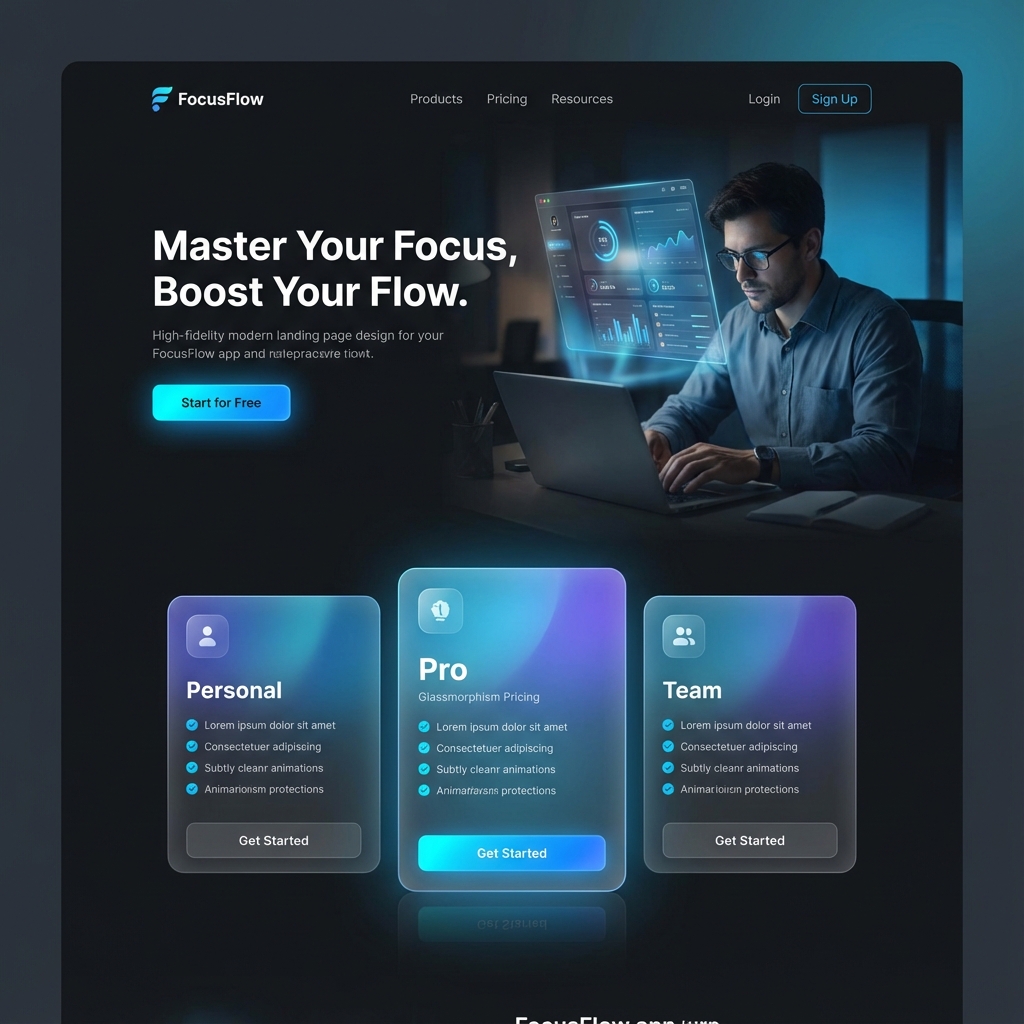
Run minute 4 in 3 moves: apply one theme, one accent, and one motion detail, then stop. The example switches to deep dark mode with electric blue accent (#007AFF), adds glassmorphism with backdrop blur to the pricing cards, gives the hero 'Get Started' button a gentle pulse, and upgrades testimonials with larger photos plus a subtle gradient. You need only the generated draft with real copy in place. Restraint keeps a four-minute polish from becoming a forty-minute redesign spiral.
Default styling is fine, and fine does not convert. Design directs attention and manufactures urgency.
Prompt:
"Switch the overall theme to a deep dark mode with an electric blue accent color (#007AFF). Add a subtle glassmorphism effect to the pricing cards, slight transparency with backdrop blur. The 'Get Started' button in the hero section should have a gentle pulse animation to draw the eye. Make the testimonial section feel more premium with larger photos and a subtle gradient background."
The page transforms. Dark theme reads premium. The pulsing CTA draws eyes without shouting. Glassmorphism adds depth. One theme, one accent, one motion detail: restraint keeps a four-minute polish pass from becoming a forty-minute redesign spiral.
Minute 5: deploy #
Run minute 5 in 3 moves: click Deploy, let BYOB compile optimized production code plus provision SSL plus push to a global CDN, then copy and share the live URL. The illustrative example URL looks like focusflow-landing.byob.site and answers from anywhere shortly after. You need only the polished page and nothing left you would defend changing. Stop tweaking and ship it: five minutes, live on the internet.
Stop tweaking. Ship it.
Click Deploy. BYOB compiles optimized production code, provisions an SSL certificate, and pushes everything to a global CDN. Shortly after, a live URL like focusflow-landing.byob.site (illustrative example URL) answers from anywhere.
Copy the link. Share it. Five minutes, live on the internet, with a page you can defend in daylight.
Each minute below has one job and one trap. Respect the pairing and the clock holds.
| Minute | Job | Trap that eats the minute |
|---|---|---|
| 1 | Frontload structure, name the sections | Second guessing the product name |
| 2 | Generate, accept the first draft | Judging placeholder content |
| 3 | Replace copy with real words | Logo perfectionism |
| 4 | One theme, one accent, one motion detail | Font shopping |
| 5 | Deploy to a live URL | One more tweak before shipping |
What did you just build? #
In five minutes:
- A complete landing page with hero, features, testimonials, pricing, and footer
- Responsive design for desktop, tablet, and mobile
- Custom styling with dark mode, animations, and glass effects
- Real copy describing the product instead of placeholders
- A live URL with SSL served from a global CDN
A real page real people can visit. Connect a form backend and it collects emails tonight.
Why do most people miss the five minutes? #
The sprint fails for predictable reasons, all avoidable. Font shopping eats minute four whole; pick the default pairing and move on. Logo perfectionism eats minute three; a wordmark in a decent typeface beats a missing logo every time. Second-guessing the product name eats minute one; the name is editable after deploy and nobody remembers v1 names anyway. Scope creep eats everything; the FAQ, the blog, the integrations page all belong to tomorrow sprint, not this one.
Underneath these sits the real killer: editing while generating. Watching the preview stream in and reacting mid-build produces a page designed by reflex. Write the prompt, look away, review the finished result. The model works better without an audience, and so do you.
Minute 6 and beyond: measure, then climb #
The sprint ends. The work starts. First, measure speed with PageSpeed Insights, which blends lab simulation with real-world Chrome user data (https://developers.google.com/speed/docs/insights/v5/about). Know the thresholds: LCP good at or under 2.5 seconds, CLS good at or under 0.1, INP good at or under 200 milliseconds, Lighthouse category scores good at 90 plus. If the hero image drags LCP past the line, compress it before touching anything else.
Second, remember where your visitors come from. Unbounce measured 83 percent of landing visits on mobile while desktop converts 8 percent better, and email traffic converting highest at 19.3 percent on average (https://unbounce.com/conversion-benchmark-report/). That ordering tells you the priorities: fix mobile first, capture emails early, treat desktop polish as phase two.
Third, follow Google own starter advice for the content side: descriptive titles, crawlable text, proper headings, reader-first copy (https://developers.google.com/search/docs/fundamentals/seo-starter-guide). Then extend in short conversations. Add an FAQ answering objections. Connect the email form to a list or database. Add analytics for sources and clicks. Map a custom domain. Each step is minutes, not projects.
What are the trade-offs? #
The 5 minute sprint wins when the goal is a live page today. One structural prompt plus real copy plus one theme and one accent gets you a hero, features, proof, pricing, and footer on a live URL with SSL, and Unbounce measured 56 percent higher conversion for readable pages against a 6.6 percent median.
| Pick the sprint when | Pick a slower build when |
|---|---|
| You need a live link to share, test, or measure | The form must write to a list, database, or checkout |
| Copy is short and honest at 5th to 7th grade level | Copy needs interviews, proof, or legal review |
| One theme and one motion detail carry the brand | The page needs a design system or many templates |
The sprint loses after deploy. Email wiring, analytics, FAQ objections, and PageSpeed work against LCP at or under 2.5 seconds all live in minute 6 and beyond. Pick the alternative when conversion depends on those connections rather than the first draft.
What we learned building this? #
The five minute path in this post mirrors the real workspace. One prompt in the chat, a live preview to react to, and a Deploy step that serves the page from a public URL with SSL. The minute by minute discipline exists because generation is fast and judgment is slow. Measure with PageSpeed Insights after, exactly as the later chapter says.
Who this is for (and who should skip it)? #
This sprint fits builders with real copy and a clear offer who need a page live today. If the words exist, five minutes is honest.
Skip it if the offer is still vague or the copy unwritten. No sprint fixes a missing message, so write the headline first and return.
One limit to know. The five minute result depends on finished copy and images being ready before you start. A common mistake is counting design tweaks and proofreading as part of the sprint, when honest polish usually takes another pass.
- Best for founders shipping a waitlist page with finished copy.
- Best for small business owners putting one clear offer online today.
- Best for beginners learning how fast a simple page can go live.
What is the point? #
Landing pages never needed days. The old timeline of scope discussions, wireframes, mockups, development, testing, and deployment existed because the tools demanded it, not because the work required it.
BYOB collapses the timeline to an afternoon sprint. Whatever you planned to build next week, build the first live version today, measure it tomorrow, and let the data argue with your taste. Taste usually loses the first round. That is fine. Live pages can learn, and every test makes the next sprint faster than the last.