
Compare plans on BYOB pricing ->
Which BYOB subscription fits you: Pro, Max, or pay-as-you-go? #
BYOB verdict: pay-as-you-go fits irregular bursts, Pro fits steady solo or small-team production, and Max fits high-throughput teams; Paddle bills the subscription layer. Scope: monthly build volume with top-ups for spikes; constraint: pick from observed workload, not ambition, and start monthly before annual. Decide in 3 checks with prereq of one month of usage: 1) frequency of builds, 2) top-up rate, 3) rerun waste from vague prompts.
This post is a decide/compare guide to picking pay-as-you-go, Pro, or Max from observed workload. If you want to compute your numbers instead — map builds, edits, and deploys to a tier with the worksheet — see How to Choose the Right BYOB Plan Using Credit Sliders.
Arcade tokens versus a monthly pass. Tokens are perfect when you drop in twice a year. The pass wins the moment you show up every week. BYOB pricing works the same way, and most billing regret comes from picking the pass before you know your own attendance.
BYOB pricing has two layers. Flexible pay-as-you-go credits cover burst usage. Pro and Max subscriptions cover predictable monthly build volume. This guide explains where each fits, what changes in daily workflow, and how to avoid paying for the wrong tier.
The short version #
- Pay-as-you-go fits irregular work.
- Pro fits steady solo or small-team production.
- Max fits higher throughput and tighter loops.
- Enterprise fits control requirements and volume.
How is BYOB pricing structured? #
What does each plan include in practice? #
| Plan | Best fit | Credit behavior | Extras |
|---|---|---|---|
| Pay-As-You-Go | Builders with sporadic usage | Buy only when needed | No recurring commitment |
| Pro | Founders, freelancers, smaller teams | Monthly included credits | Paid-only features and discounted top-ups |
| Max | Agencies and high-output teams | Higher included monthly credits | Better unit economics and priority handling |
| Enterprise | Organizations with policy and control needs | Contract-based | White-label, identity controls, SLA path |
The industry pattern underneath is standard. Paddle models a catalog as products plus prices, where the product is the plan and each price defines how much, how often, and in which currency, as stated in the Paddle products and prices docs (https://developer.paddle.com/build/products/create-products-prices). Monthly and annual versions of the same plan are simply different prices on one product. That is why switching cycles never changes what you bought, only how you pay for it.
Why subscriptions were added? #
Pure top-up pricing is great for occasional usage, but teams shipping every week need cost predictability and operational consistency. Subscriptions provide that baseline.
Finance can forecast monthly spend. Teams avoid mid-sprint credit anxiety. Managers can standardize plan access by role. None of this is exotic. It is the same reason Paddle bundles payments, tax compliance, and subscription billing into one merchant-of-record price of 5% plus 50 cents rather than invoicing each function separately, as stated on the Paddle pricing page (https://www.paddle.com/pricing). Bundling turns variable chaos into one legible number.
What changes when you move from pay-as-you-go to Pro? #
First, you get monthly included credits. Second, you usually get improved top-up economics. Third, paid feature gates open in workflow areas like testing and domains.
This is a billing switch that also changes team velocity because you stop making micro decisions on every run. Builders on included credits prompt more freely, test more often, and iterate in the same session instead of rationing runs across the week. The subscription buys calmer building and cheaper credits.
Pro vs Max decision logic #
Use this rule of thumb.
If you are mostly one product with moderate weekly changes, start Pro. If you run several active projects and iterate daily, start Max. Then adjust using real monthly usage data.
Pick by observed workload, not ambition. Ambition inflates tier choice. Usage data corrects it.
The upgrade path is deliberately boring. Paddle treats plan changes as item swaps on one subscription, with proration calculated to the minute, as stated in the Paddle subscription items docs (https://developer.paddle.com/build/subscriptions/add-remove-products-prices-addons). Moving Pro to Max mid-cycle means paying the difference for remaining time, not repurchasing the month. Downgrades work the same in reverse.
Should you pay monthly or annual? #
| Cycle | Better when | Tradeoff |
|---|---|---|
| Monthly | Usage is still volatile | Higher month-to-month price but flexible |
| Annual | Usage is stable and continuous | Better effective price, lower flexibility |
For new teams, start monthly for one or two cycles, then switch if utilization is consistent. Annual billing rewards certainty. If you are certain, collect the discount. If you are guessing, the discount is a trap with paperwork.
Practical examples #
Example A: freelancer with 4 active clients #
Weekly edits and frequent deploys. Regular feature updates. Needs testing plus domain support.
Likely fit: Pro mid-tier, with occasional top-up. The subscription covers the steady drumbeat, top-ups absorb launch weeks.
Example B: agency shipping 8 projects per month #
Many active branches of work. Short feedback cycles. High run volume.
Likely fit: Max with rollover strategy and planned top-up buffer. At this volume the better unit economics usually pay for the tier jump on their own.
Example C: startup in discovery phase #
Spiky usage around launches. Quiet weeks between experiments.
Likely fit: pay-as-you-go initially, then Pro after usage stabilizes. Discovery is the worst time to commit to a baseline you cannot yet measure.
Try it: Website cost calculator
Cancellation and plan transitions #
Plan lifecycle should be explicit in team SOP.
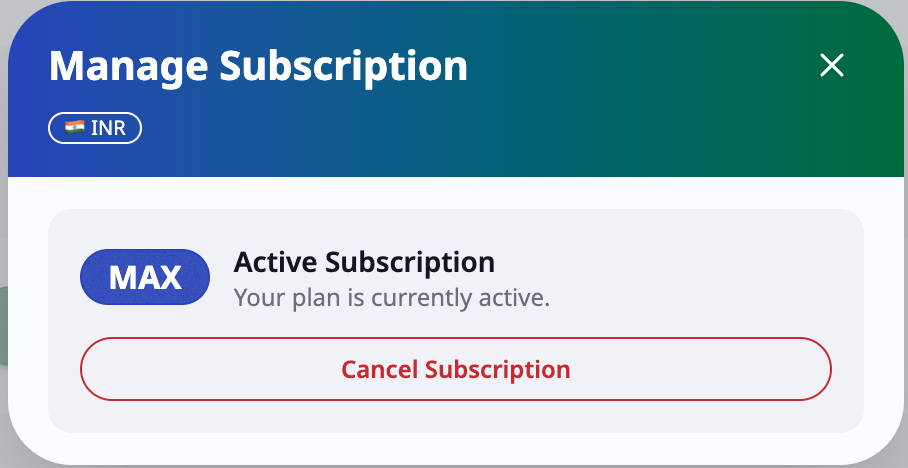
Upgrades usually unlock higher tier features immediately. Downgrades deserve a one-cycle observation window before you commit. Cancellation needs a continuity plan made before the cycle ends, especially for custom domains and scheduled work.
Stripe documents the full lifecycle every subscription moves through, from trialing to active to past-due to canceled, with webhooks at each transition, as stated in the Stripe subscriptions overview (https://stripe.com/docs/billing/subscriptions/overview). Two details deserve attention. Failed payments go through smart retries first, so a dead card triggers recovery, not instant cutoff. And canceled subscriptions are terminal in most providers, meaning resubscribing creates a new subscription rather than resurrecting the old one. Export your usage history before you cancel anything.
Cost control checklist #
Track credits consumed by team per week. Track top-up frequency and amount. Review failed generations caused by unclear prompts. Tighten prompt quality before increasing tier. Reassess plan monthly.
Prompt quality improvements often save more credits than tier changes. A vague prompt that burns three regeneration cycles costs more than the price gap between tiers. Fix the prompting first, then buy the bigger pipe.
Advanced recommendation for teams #
Use two signals together.
Capacity signal: are you running out of included credits early? Efficiency signal: are you wasting credits through repeated rework?
If capacity is high and efficiency is low, train prompting first. If both are high, upgrade tier. If capacity is low and efficiency is low, you have a skills problem wearing a billing costume.
What we learned building this? #
Plan and slider math comes from the Pro and Max bundles listed per monthly and annual price. The pricing page renders those same tiers, so the examples above mirror what checkout charges. Moving between plans changes credit flow, not project access.
Who this is for (and who should skip it)? #
This guide helps builders choosing between pay as you go, Pro, and Max with real usage in mind. If you burn credits monthly and want predictable bills, the decision logic above points at your tier.
Skip the comparison if you build rarely and lightly. Pay as you go stays cheapest for occasional work, and you can upgrade the month volume proves it.
- Best for freelancers choosing between top ups and monthly plans.
- Best for agencies matching plan tiers to client volume.
- Best for startups seeking steady billing during heavy build months.
FAQ #
Is subscription mandatory? #
No. Pay-as-you-go remains available.
Can I still buy top-ups on subscriptions? #
Yes. Top-ups are part of the model.
How fast can I move from Pro to Max? #
Typically quickly, and many growing teams follow that path. Proration covers the mid-cycle math.
Does Enterprise mean only large company? #
No. Enterprise is mainly about governance, identity, and support requirements.
Should I move to annual immediately? #
Only after one or two cycles confirm stable usage.
Measure two months. Then buy the pass with confidence instead of hope.