Why are save points essential in AI builders? #
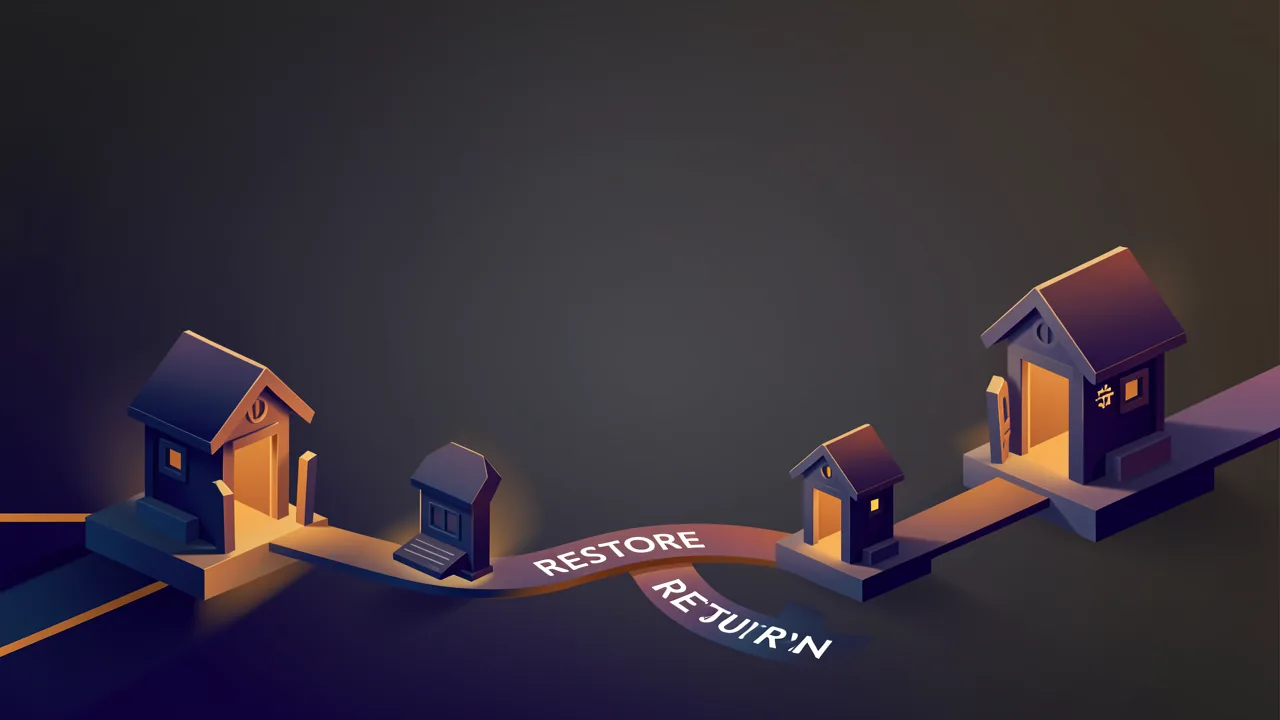
Think of a video game before a boss fight. You reach the save shrine, you press save, you walk into the room. If the fight goes wrong you reload. The shrine never punishes you for saving often. Good builders work the same way. Save is a shrine you visit on purpose, restore is the reload you hope you never need, and the game stays fun because the shrine exists.
BYOB treats save as a product promise. Every manual save writes an immutable snapshot you can read, preview, compare, and restore with one click. Auto save runs quietly between your deliberate saves. Deploy creates a snapshot that marks what is live. History is linear, there are no branches to manage, and only one editor holds the lock at a time. That simplicity removes whole classes of failure before a prompt even runs.
This post turns that promise into patterns you can reuse anywhere. We pull apart how save and restore work across builders, we name the cases where each pattern wins, and we show the real fix we shipped for persistence in BYOB. If you build with AI you live inside this system all day. It should feel obvious.
How does save and restore actually work across builders? #
At the core every builder does one thing. It freezes project state into a snapshot and it lets you return to that snapshot later. The differences sit in when the freeze happens, what the freeze holds, and how return behaves.
Git invented the mental model. Git tracks history as snapshots called commits layered over a full copy of project content, as stated in the GitHub guide to Git (https://docs.github.com/en/get-started/using-git/about-git) and in the Pro Git book (https://git-scm.com/book/en/v2/Getting-Started-About-Version-Control). GitHub then standardised the collaboration loop as branch, commit, pull request, review, and merge, as stated in the GitHub flow guide (https://docs.github.com/en/get-started/using-github/github-flow). Builders borrow the snapshot idea and wrap it in product UI. The degree of borrowing varies a lot.
The four save patterns you will meet #
- Manual snapshot. You name a checkpoint when something works. This is the durable memory you can locate later.
- Auto save recovery. The editor writes quietly every few minutes so a crash does not eat recent work. These marks are not documentation, they are safety tape.
- Deploy snapshot. Publishing freezes the live state and tags the snapshot as the version visitors saw. Rollback means restoring that tag.
- Fork or branch. Some tools duplicate the project at a point so you can branch forward without touching the original. This behaves like a branch even if the UI calls it a remix or a fork.
What BYOB guarantees today #
BYOB keeps one linear timeline per project. Every manual save writes an immutable snapshot, auto saves appear as recovery points, deploys write snapshots marked as live, and restore appends a new entry that points at older state. History only grows. One editor lock prevents silent overwrites, preview URLs let you inspect before you publish, and snapshots never expire for active projects. These facts match the BYOB version control guide for non-developers and the editor commit helpers.
Pricing shapes the same guarantee. BYOB runs Free at zero dollars on Pay As You Go, starter accounts receive 100 credits with 30 day expiry, and one dollar buys 100 credits that never expire. Snapshots plus rollback cost nothing extra. You pay for AI work and deploys, not for history.
How do autosave, manual save, and deploy snapshots differ? #
They differ in purpose. Autosave serves continuity, manual save serves intent, deploy snapshot serves release truth. Mix them and you cover three distinct failures. Miss one and that failure stays open.
| Builder | Manual save | Auto save | One click restore | Deploy snapshot | History model |
|---|---|---|---|---|---|
| BYOB | Yes with description | Yes every few minutes | Yes nondestructive | Yes marks live URL | Linear one editor lock immutable |
| Lovable | Yes per project versions | Not disclosed | Yes | Not disclosed | Linear per project history |
| v0 | Yes via versions | Not disclosed | Yes | Yes via deployments | Versions with fork |
| Replit | Yes checkpoints | Yes continuous | Yes | Yes | Checkpoints with forks |
| Webflow | Yes manual backup | Yes auto backup | Yes restore to backup | Not disclosed | Backup list with restore |
| Bolt | Yes | Not disclosed | Yes | Not disclosed | Version list |
Sources for the table sit in frontmatter and inline below. BYOB behaviour is described in the version control guide and in commit 2104091. Lovable workspace and project concepts are described in Lovable docs welcome (https://docs.lovable.dev/introduction/welcome). v0 behaviour is described in v0 docs (https://v0.dev/docs). Replit workspace and backup behaviour is described in Replit docs welcome (https://docs.replit.com/welcome). Webflow backup and site lifecycle is described in Webflow developer docs (https://developers.webflow.com/v1.0.0/docs) where backup scope is documented as not disclosed for some autosave timing. Cloudflare deploy rollback as a reference deployment pattern is documented by Cloudflare (https://developers.cloudflare.com/pages/configuration/rollbacks/).
A few stats from this sample help you orient. Six of six builders document a manual save point you can trigger. Four of six document a one click restore path openly. Two of six describe autosave timing in public docs with exact intervals, the rest list timing as not disclosed. Where a cell says not disclosed we leave it that way rather than guess. Snapshot storage per builder is not disclosed in a comparable unit in public docs, so we state it as not disclosed instead of inventing megabytes. BYOB stores full project state per snapshot and includes that storage at no extra credit cost.
The save flow in BYOB #
This chart shows the happy path and the safety paths that fire when the editor or the network misbehaves.
Use this flow as a checklist. If you edit without a manual save, you still have auto save. If you publish without a manual save, you still have the deploy snapshot. If you restore, you never lose forward history.
Anatomy of a BYOB snapshot #
A snapshot holds code files, uploaded assets, database schema, and env plus config as a frozen bundle. It does not hold live data rows. That split mirrors professional teams where migrations are versioned and rows are backed up separately. Restore fixes code and schema. It does not resurrect rows you deleted after the snapshot. Plan backups for rows if your app writes user data.
Need a release safety net beyond snapshots? Run the checklist before you ship. See the deploy checklist on byob studio (https://byob.studio/tools/deploy-checklist) which we verified returns 200. It walks through preview, snapshot, and publish steps in order.
What breaks when save is not guaranteed? #
Two failure classes show up repeatedly in AI builders. One is persistence during lifecycle events like stop, restart, scale, or container reuse. The other is state sync when a container resumes after being idle. BYOB hit both and fixed them in one pass.
The persistence gap we closed #
Commit 2104091 carries the fix titled git and hm save and persistence issues. The diff touches three systems that together decide whether work survives a stop.
In back/box/conman_go/service/service.go the save path changed from refusing to stop on any git save failure to a nuanced rule. The service now injects the fresh git token at save time instead of relying on the token frozen at container creation, it runs commit push via bash so the injected token is not clobbered by container env import, it tracks last successful save time and it allows a force stop only when the save is stale beyond the threshold. Heartbeat and kill order handling also grew guards so a slow metrics call cannot stall heartbeat and a kill order can carry explicit skip save or force flags. The default container swap multiplier moved from two to three to give save more headroom.
In back/box/runner/entrypoint.sh the boot sync now treats origin main as source of truth. It backs up local only commits to a timestamped backup branch and pushes that branch so local work survives even if the container is destroyed, it reattaches a detached HEAD onto main, it fetches origin main with a timeout, and it resets hard to origin main only when local main is behind or diverged. Untracked files stay untouched.
In hetzner_manager/hm_back/services.py the scale logic now measures genuine idleness instead of a narrow per hour window. It tracks idle since timestamps per runner, uses a positive int setting for cooldown minutes with a fifteen minute default, and deletes an idle runner only after it has been idle for the full cooldown. Liveness now checks heartbeat recency even when the status string drifts, so healthy boxes are not left out of pool counts.
Together these changes close a loop. Work written in the editor reaches git even when the token rotated, the next boot shows the latest origin state instead of stale container state, and idle runners do not get deleted while they still hold unsaved work.
What the editor side does #
The frontend keeps history linear on purpose. The editor commit helpers enforce the flow where every save becomes a new entry, restore never deletes, and compare shows added, removed, and modified files. The docs in this repo describe auto save and manual commits as separate layers, which is why the table in this post separates them.
A common pitfall remains outside code. If you save with vague descriptions like update or changes, history becomes archaeology without labels. Write what changed and why in one sentence your future self can locate at a glance.
When should you pick which save pattern? #
There is no single best pattern. The right choice follows the risk you face in that hour.
- Use manual save when intent matters. You just landed a feature that works and you can name it cleanly. Save now. This is your documentation and your rollback anchor.
- Rely on auto save when continuity matters. You are deep in a long edit session, the browser may crash, or the network may dip. Auto save is the net below you. Do not promote its marks to documentation.
- Use deploy snapshots when release truth matters. You publish to a live URL and visitors arrive. That snapshot is the only version you know worked in production. If a later deploy breaks, restore that snapshot and publish again.
- Use fork or branch only when you need true parallel work. One person trying bold rewrites while another keeps the stable line. For solo work and small teams, linear history with one editor lock is calmer and cheaper in headspace.
If you run a team that must edit the same file at the same moment, you need real branches or real time collaboration. That is where builders with fork or with Git sync win despite extra complexity. If your team edits in turns, linear history wins because it removes merges, rebases, and conflict markers entirely.
Check your current habit against this. If you auto save constantly but rarely manual save, your timeline is safe but unreadable. If you manual save with empty messages, it is readable but vague. Fix both by saving often and writing one honest sentence each time.
What are the trade-offs? #
The post recommends autosave for crash safety, manual saves with clear descriptions for intent, and deploy snapshots for releases, with BYOB keeping linear history plus one editor lock plus nondestructive restore. That follows the Git plus GitHub flow docs, Cloudflare Pages rollbacks, and v0 plus Lovable plus Replit docs cited above.
| Where the recommended path wins | Where it loses |
|---|---|
| Manual save marks intent you can find later by description | Discipline required, since the save click is on the builder |
| Autosave rescues browser or network failure without thought | Autosave alone cannot tell which version was meant to keep |
| Deploy snapshots mark live state for fast incident restore | Snapshots cover code plus schema plus config, while data rows need a separate backup plan |
Pick autosave only habits for throwaway prototypes where every version is disposable and no release ever needs defending.
Who this is for (and who should skip it)? #
This piece helps you if you build sites or apps with AI, you iterate fast, and you feel the wobble when a prompt rewrites a file you never mentioned. You want save points you trust, a compare view that tells you what truly changed, and a restore that never punishes you for exploring. Solo founders, designers who prompt, and small teams who ship together will feel the improvement right away.
Skip the deep dive if a developer already owns your code in Git elsewhere and your builder is only a preview layer. The mental model still transfers, but your source of truth lives in the repository, not in builder snapshots. Read the compare view section for debugging and return to Git when you need parallel branches, code review, and pipelines.
- Best for beginners saving before bold AI edits so restore stays one click away.
- Best for freelancers comparing autosave, manual snapshots, and deploy markers across tools.
- Best for developers making lost work rare with linear history and locked editing.
What we learned building this? #
We learned that save is not a button. It is a contract that spans container lifecycle, git auth, boot sync, and scale decisions. Reading commit 2104091 line by line taught us that a single stale token or a single ambiguous merge base can erase the trust the button promises. The cure was not one fix but a set of small guarantees that compose.
In service.go we learned to inject fresh auth at save time and to run the push through bash so the env import does not erase it. In entrypoint.sh we learned to treat origin main as truth and to back up local only commits before any reset. In services.py we learned to measure idle time as a duration, not as a clock window, and to decide scale down on evidence not on the hour.
On the frontend we kept the contract readable. The commit helpers handle commit messaging and the workspace helpers keep history linear. Restore appends, it never mutates. Compare surfaces the truth about what the AI touched, which turns vague breakage into a precise next prompt.
The result feels ordinary and that is the point. Save when you mean it, let auto save catch the rest, ship with a deploy snapshot, and restore without fear. When that loop holds, you try bolder prompts because the cost of a miss is seconds.
How do you make lost work nearly impossible tomorrow? #
Start with a tiny ritual. Before you prompt for a large rewrite, save manually and write one sentence that a stranger could use to find this point later. After the AI answers, open compare. If the AI touched the header while adding a pricing page, tell it to leave the header alone. When the feature works, save again and deploy. That loop turns anxiety into momentum.
Keep the checklist close. The deploy checklist on byob studio (https://byob.studio/tools/deploy-checklist) codifies this rhythm so you do not rely on memory under pressure. Ship now than tomorrow, but ship from a save point you trust.