CLI & Agent Connections
BYOB allows you to seamlessly connect various AI coding agents to your project for local or workspace access. You can configure this directly from the Project Control Center.
Connecting Agents #
To connect an agent, open the Project Control Center, navigate to the Agents tab, and select the specific agent you want to authorize.
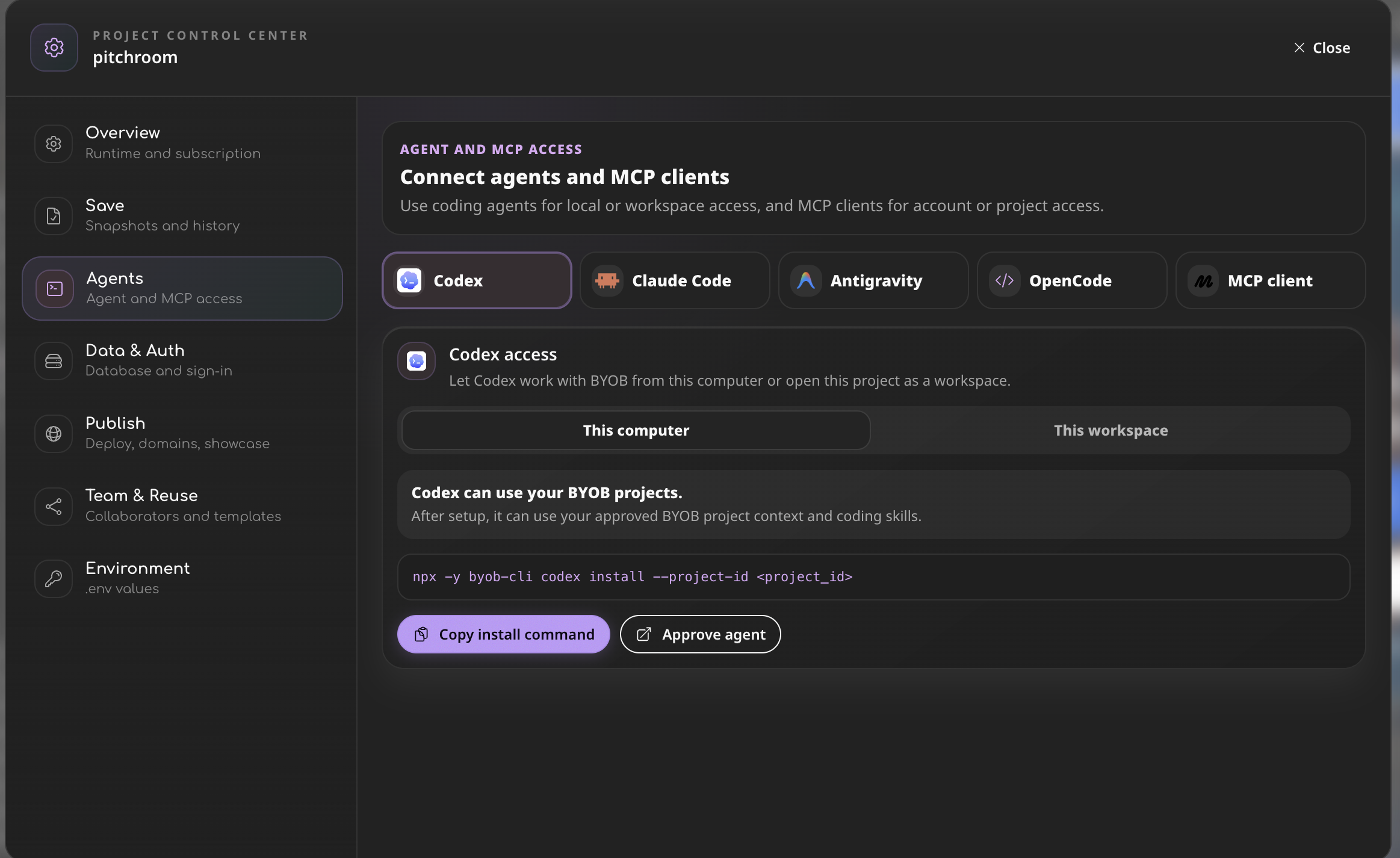
We natively support installing BYOB tools into the following AI agents via npx commands. Simply click Copy install command from the dashboard to get the command pre-filled with your specific Project ID.
Supported Agents #
Codex:
npx -y byob-cli codex install --project-id YOUR_PROJECT_IDClaude Code:
npx -y byob-cli claude install --project-id YOUR_PROJECT_IDAntigravity:
npx -y byob-cli gemini install --project-id YOUR_PROJECT_IDOpenCode:
npx -y byob-cli opencode install --project-id YOUR_PROJECT_IDAfter running the install command on your local machine, click the Approve agent button in the dashboard to complete the authorization loop.
Workspace SSH Configuration #
If you prefer to connect directly to the underlying workspace via SSH, you can easily install the SSH configuration for your project:
npx -y byob-cli workspace ssh-config --install --project-id YOUR_PROJECT_IDThis enables traditional CLI interactions and allows IDEs like VS Code or Cursor to connect remotely.