Chat & Prompts
While the BYOB AI is incredibly smart, it still relies on your instructions to build the right thing. Think of the AI as a junior developer sitting next to you—the clearer your instructions, the better their output will be.
Prompting Best Practices #
Writing good prompts is the most important skill you can learn when using BYOB. Here are the golden rules:
1. Be Specific with UI Details #
Instead of saying "Make a cool button", tell the AI exactly what you envision:
*"Create a large, primary-colored button with rounded corners. When hovered, it should slightly elevate and gain a subtle drop shadow. The text should say 'Get Started' in bold white font."*
2. Provide Context and File Locations #
The AI can usually figure out where to put things, but explicitly stating it removes any ambiguity.
*"In the `+layout.svelte` file, add a navigation bar to the very top. It should contain links to Home, About, and Contact."*
3. Build Iteratively (Step-by-Step) #
Don't try to build an entire complex page in a single prompt. If you ask for too much at once, the AI might get confused or miss details.
- Prompt 1: "Create the basic grid layout for a dashboard with a sidebar on the left and a main content area on the right."
- Prompt 2: "Now, add a user profile card to the top of the sidebar."
- Prompt 3: "In the main content area, add a line chart showing monthly recurring revenue."
Handling Errors #
Sometimes, the AI will write code that throws a compilation error or a runtime bug. Don't panic!
BYOB features a built-in automated error detection system. If your application encounters an error, a red error badge will appear at the bottom right of your workspace.
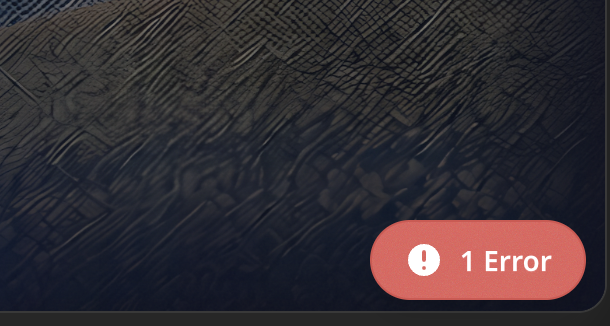
To fix the bug, simply click on the error badge and click the Fix button. This will automatically send the exact error trace and the surrounding codebase context directly to the AI. The AI will diagnose the issue and immediately generate a patch to resolve it.