Authentication
Adding user login to your app is one of the most common requirements. BYOB makes this painless by fully managing the authentication flow for you using Better Auth, the most comprehensive authentication framework for SvelteKit.
Better Auth Integration #
When you build a BYOB project, the AI automatically wires up the Better Auth library. This provides a robust, type-safe authentication layer out of the box, handling sessions, secure cookies, and database user tables natively with BYOB DB (D1).
1-Click Google Sign-In #
You don't need to spend hours configuring OAuth screens, obtaining Client IDs, or managing Google Cloud Console secrets. Google sign-in is BYOB-managed by default and seamlessly integrated into your Better Auth setup.
To enable authentication:
- Open the Project Control Center.
- Navigate to the Data & Auth tab.
- Under the Authentication section, flip the Google sign-in toggle.
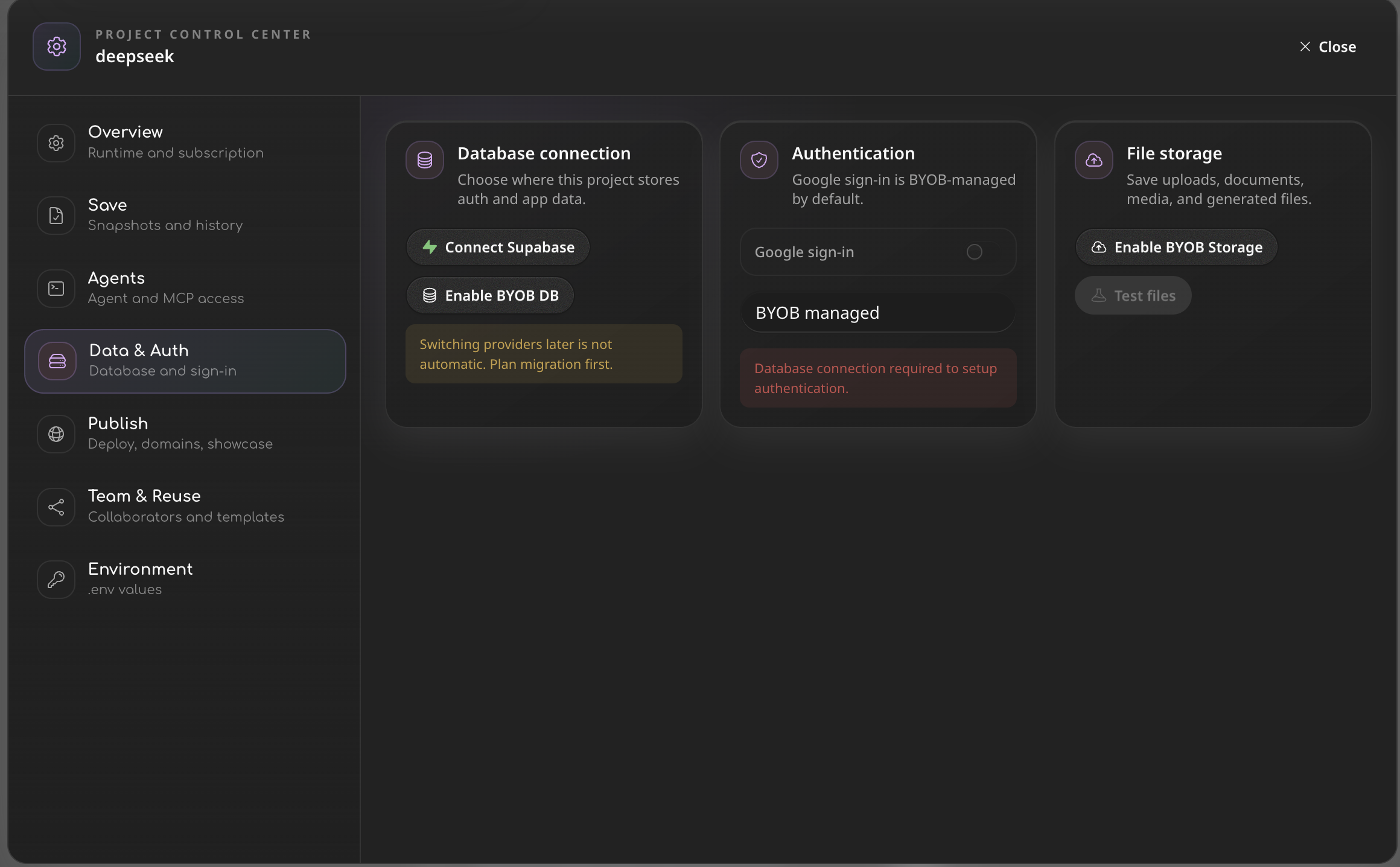
Once toggled, your unique App ID is provisioned. Under the hood, Better Auth uses a custom BYOB-managed Google broker, so the app receives app-scoped credentials securely without exposing master OAuth secrets. The AI is immediately ready to wire up the login buttons in your frontend.
Traditional Auth (Supabase) #
If you are using Supabase instead of BYOB DB, BYOB also natively supports their built-in Authentication system. When you instruct the AI to "add a login page", it can automatically wire up the supabaseClient.auth.signInWithOtp (One-Time Password) flow, allowing your users to sign in securely via email magic links.