The Editor Workspace
The Editor Workspace is where you will spend the majority of your time in BYOB. We've designed it to feel like a professional IDE (Integrated Development Environment), but supercharged with AI capabilities.
The Three-Panel Layout #
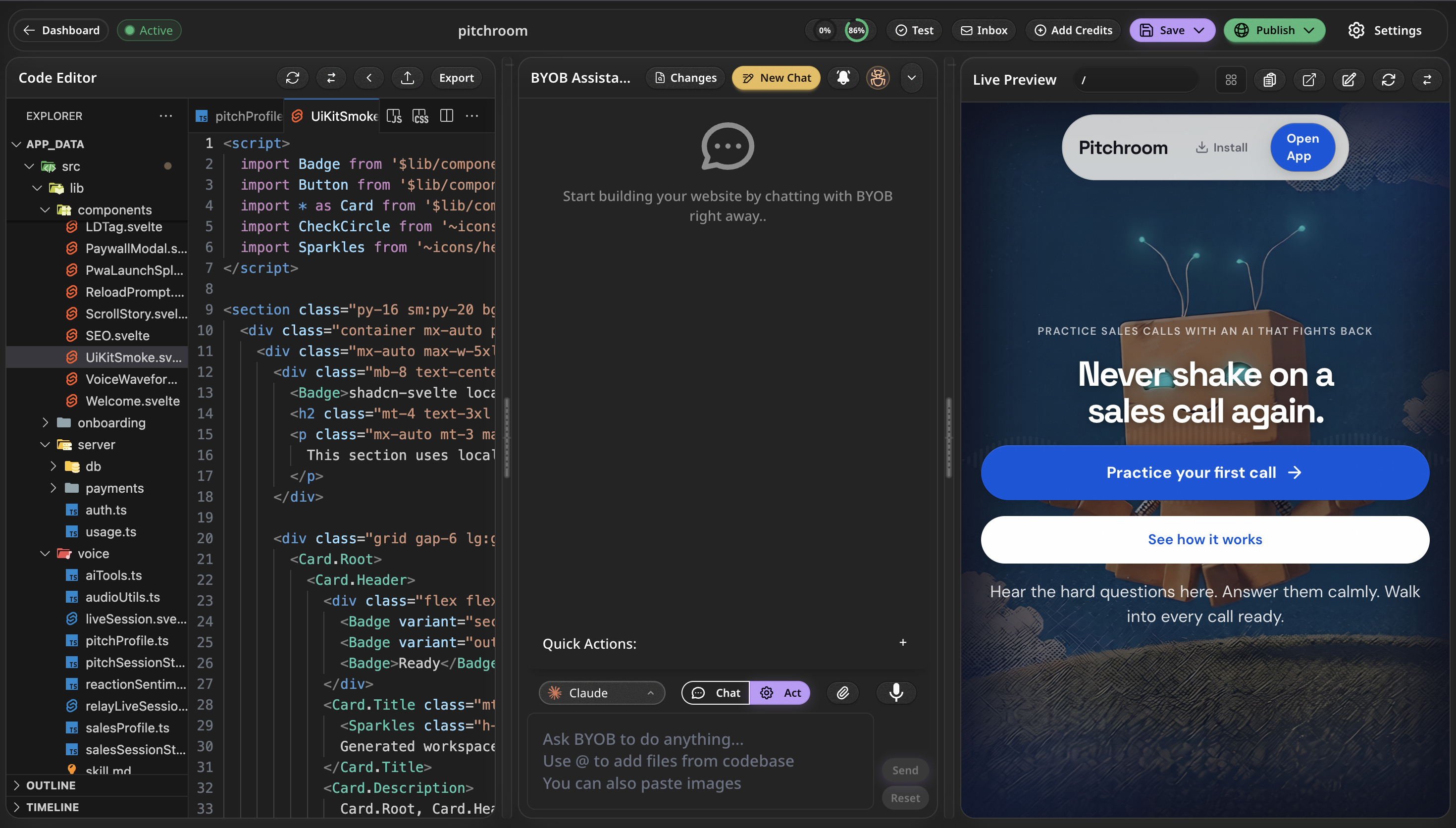
The workspace is divided into three main sections to keep you productive without needing to switch tabs or windows.
1. The Left Sidebar (File Explorer & Settings) #
The left panel acts as your project navigator.
- Files: See your entire codebase exactly as it exists on the server. You can create, delete, and rename files here manually if needed.
- Environment Variables: A secure place to add API keys (like Stripe or OpenAI keys) without committing them to your codebase.
- Settings: Manage your project's custom domain, database connections, and collaborators.
2. The Middle Panel (Chat & Code) #
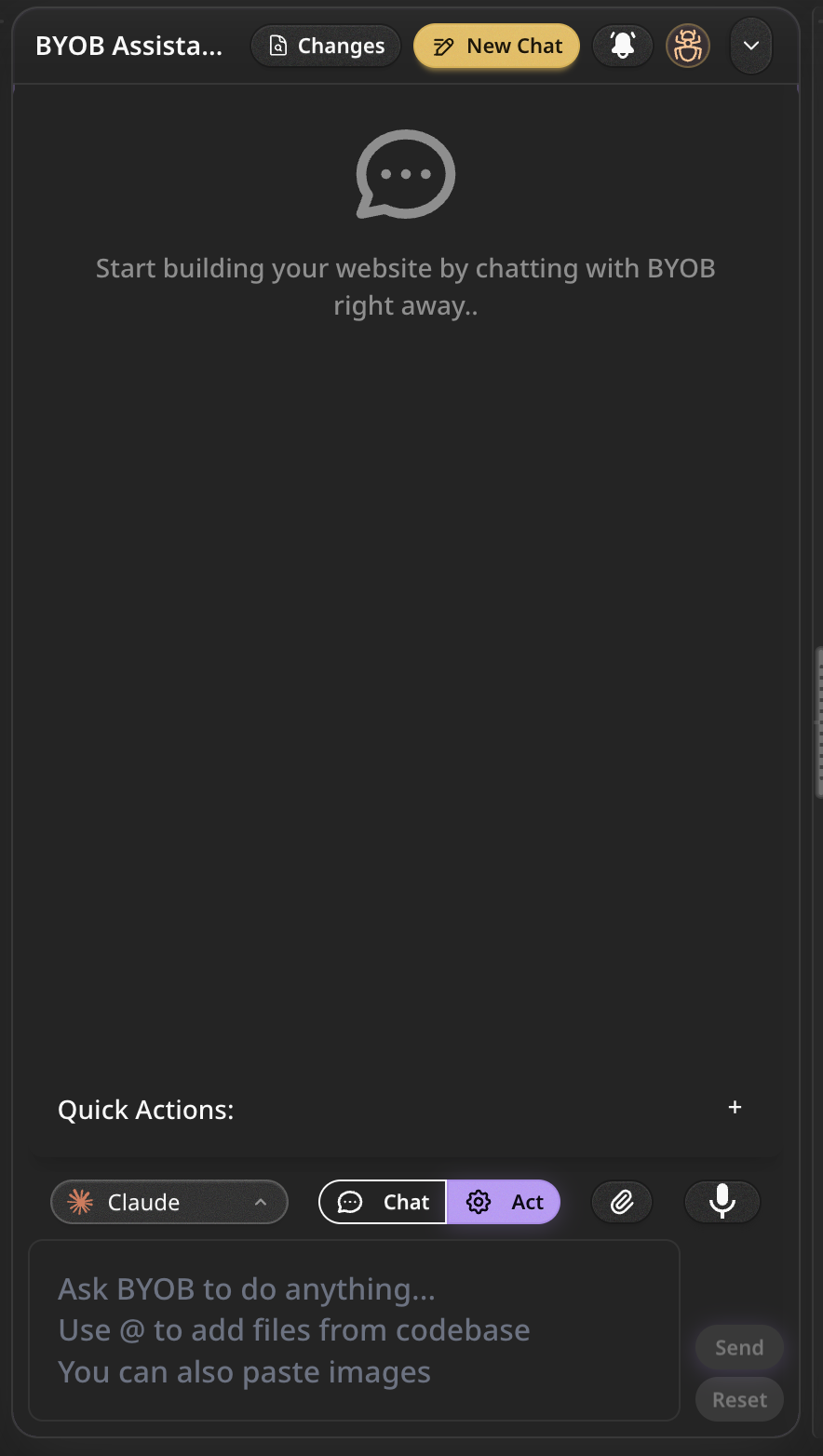
The center of your screen is the brain of the operation. By default, this shows the AI Chat Interface.
- Chat: This is where you instruct the AI. You can ask it to "Add a dark mode toggle to the navbar" or "Create a users table in the database".
- Code Editor: If you click on any file in the Left Sidebar, the chat is replaced by a full Monaco Code Editor (the same editor that powers VS Code). You can make manual code edits here at any time.
3. The Right Panel (Live Preview) #
The right panel is your Live Preview. This isn't a mockup—it's a real, running instance of your application.
- As the AI writes code, or as you type in the code editor, this preview updates automatically (Hot Module Replacement).
- You can interact with the preview just like a real user would: clicking buttons, submitting forms, and testing layouts.
- It includes a responsive toggle, allowing you to see how your app looks on mobile, tablet, and desktop screens.
Bottom Console #
At the very bottom of the screen, you can expand the Terminal & Console. This shows you the raw output of your running application, allowing you to see server logs, build errors, or database query results in real-time.