MCP Clients
If you are using custom external agents or standalone clients that support the Model Context Protocol (MCP), you can provision direct MCP credentials from the BYOB dashboard.
Generating MCP Credentials #
To create credentials for an MCP client:
- Open the Project Control Center.
- Navigate to the Agents tab.
- Click on the MCP client tab on the far right.
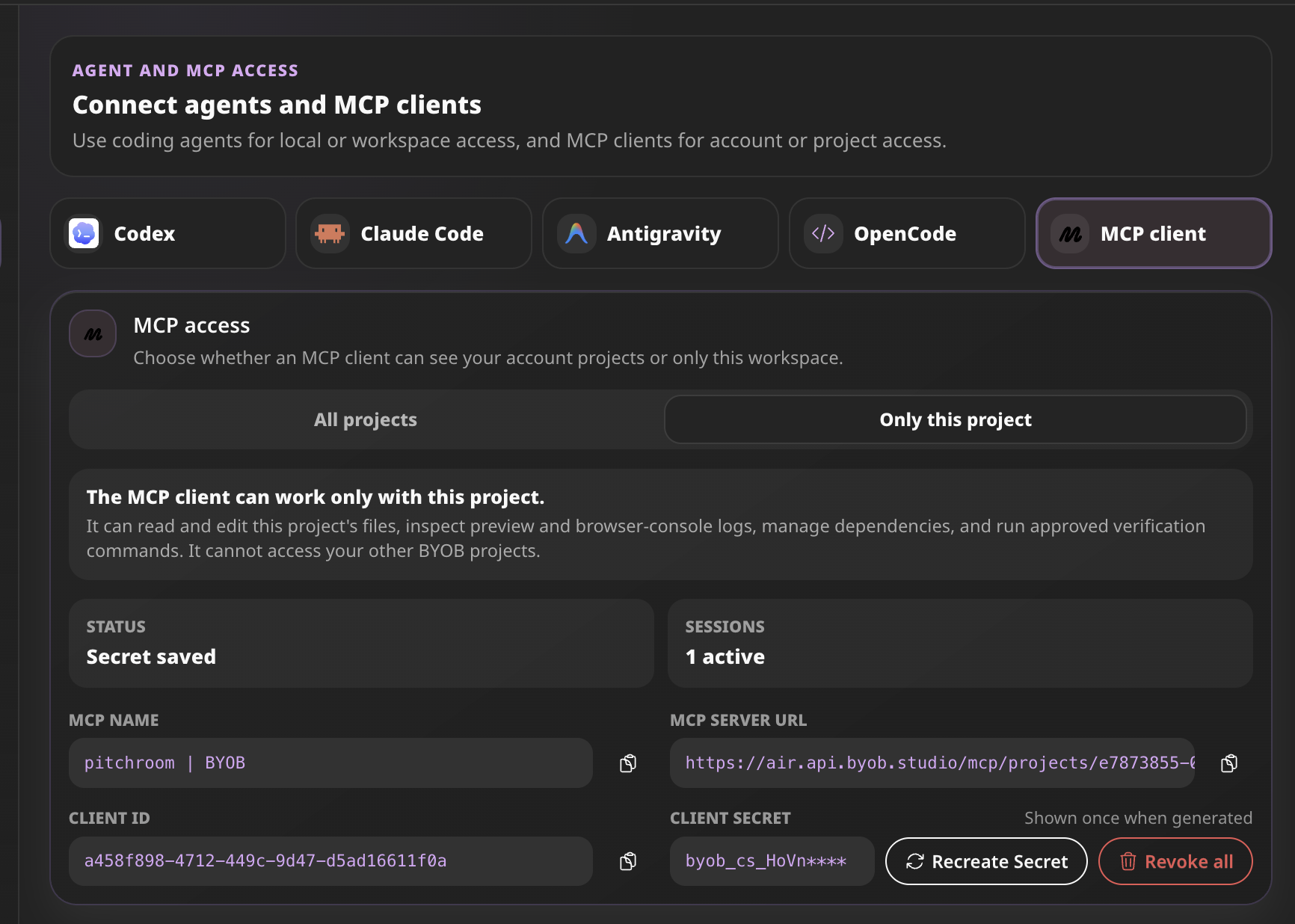
Scope Selection #
You can restrict what the MCP client is allowed to access:
- All projects: The client can access context and code for any project under your BYOB account.
- Only this project: The client is locked to this specific project workspace. It can read/edit files, inspect logs, manage dependencies, and run verification commands, but it cannot access your other projects.
Credentials #
Once generated, you will be provided with:
- MCP Server URL
- Client ID
- Client Secret (This is only shown once when generated)
You will input these into your external MCP client to establish the connection.
Security & Management #
From this same panel, you can monitor the number of active sessions. If you ever need to cycle your keys, you can click Recreate Secret to generate a new Client Secret, or Revoke all to immediately terminate all active MCP sessions.